
How to Text-Enable Landline Numbers for Business Messaging
Texting is one of the fastest ways for customers to see and respond to business updates. That’s why many businesses add SMS to the number customers already use for calls.
You can text-enable landline numbers, including eligible landline, VoIP, and toll-free numbers. Calls can still go through your current phone service, while texts route to an inbox where staff can read and reply.
In this article, we will explain how landline texting works, which numbers may qualify, and what the setup process looks like. You’ll also find out what to look for in a texting service before you choose one.
- Landline texting connects an eligible business number to a texting platform to ensure customers can call or text the same familiar number.
- Local landline, VoIP, toll-free, office, and publicly listed business numbers may qualify for texting after provider review.
- Businesses text-enable landlines to keep one known number, capture missed texts, avoid separate call and text lines, protect staff privacy, and build better customer relationships.
- Textellent lets you text-enable an eligible landline, keep your current phone provider, manage texts from its dashboard, and promote one number for calls and texts.
How Text to Landline Works
Landline text messaging connects an eligible landline phone number to a business texting service.
Calls still go through your current phone service, while incoming text messages route to an online inbox, dashboard, or app.
Your landline phone does not receive SMS messages itself. Staff read and reply to text messages from the SMS platform, and customers see replies from the same number they already call.
This setup lets customers call or text one business number without changing how voice calls work.
Types of Numbers That Support Text to Landline Messaging
Eligibility depends on the number type, current carrier setup, and whether the number is already configured for SMS elsewhere.
Common numbers that may qualify include:
- Local landline numbers
- VoIP business numbers
- Toll-free numbers
- Office phone numbers
- Numbers used on websites, ads, mailers, and Google Business Profile listings
If you want to keep your existing business phone number, Textellent can check whether it can be text-enabled. Request a demo today!
Why Do You Need to Text-Enable Your Landline Phone?
Customers want an easy way to reach you. If they see only one business landline phone number on your website or business profiles, they may try to call or text that same number.
If your existing landline is not text-enabled, those messages may never reach your team. Here are the main reasons to add texting to your landline number:
Keep Your Known Number
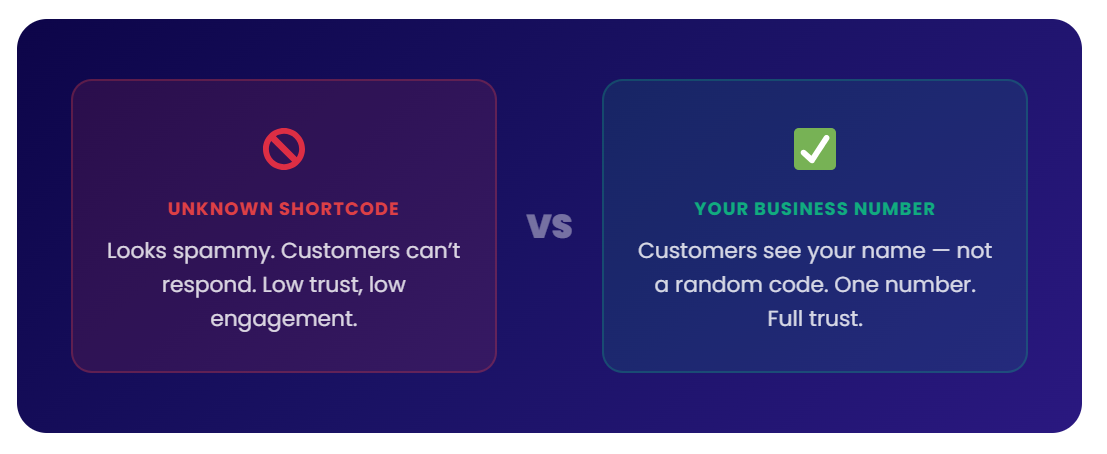
Shortcodes may feel impersonal, and many customers do not recognize them as easily as a local business number.
Customers already recognize the number they use to call you. Adding texting to that same number makes communication easier.
With Textellent, eligible landline, toll-free, and VoIP numbers can support texting without changing voice service.
It turns your business landline into a texting channel for campaigns, reminders, customer replies, and MMS messages when your setup allows.
Want to start landline texting?
See if your existing landline, toll-free, or VoIP number qualifies with a free trial or a demo consultation.
Capture Missed Customer Texts
Customers expect business phone numbers to work for both calls and texts. If the number is not text-enabled, those messages may fail, disappear, or never be received by your staff.
A text-enabled number lets you receive questions, appointment replies, service requests, and follow-ups from the number customers already use.
Every inbound text can move into a business inbox instead of getting lost.
Avoid Separate Numbers
Separate numbers for calls and texts can confuse customers. They may call one number, text another, and wonder which one gets a faster response.
A single call-and-text number keeps communication simple. Customers do not need to save another contact, and your business can keep one consistent point of contact.
Keep Texts Off Personal Phones
Texting from a cell phone can create privacy and recordkeeping issues. It also makes customer conversations harder to track when support team members change roles.
A business SMS solution keeps conversations under the business account. Staff can reply from a shared inbox instead of using personal phones.
Build Better Customer Relationships
Texting gives customers a way to respond faster to updates. With 90% of texts read within 3 minutes, SMS is useful for reminders, follow-ups, and quick replies.
A text-enabled landline can make communication faster and more organized. That better experience can support stronger customer relationships.
How to Text-Enable Your Landline With Textellent
With Textellent, you can keep your current phone provider while adding two-way texting to the number customers already know.
Here’s how you can text from a landline using Textellent:
Check Your Existing Landline Number
Start by checking whether your existing business landline can be text-enabled. Textellent can review eligible landline, VoIP, and toll-free numbers to see whether texting can be added.
This step helps confirm whether you can keep the number your customers already recognize. If your number qualifies, you can move forward.
Keep Your Phone Provider
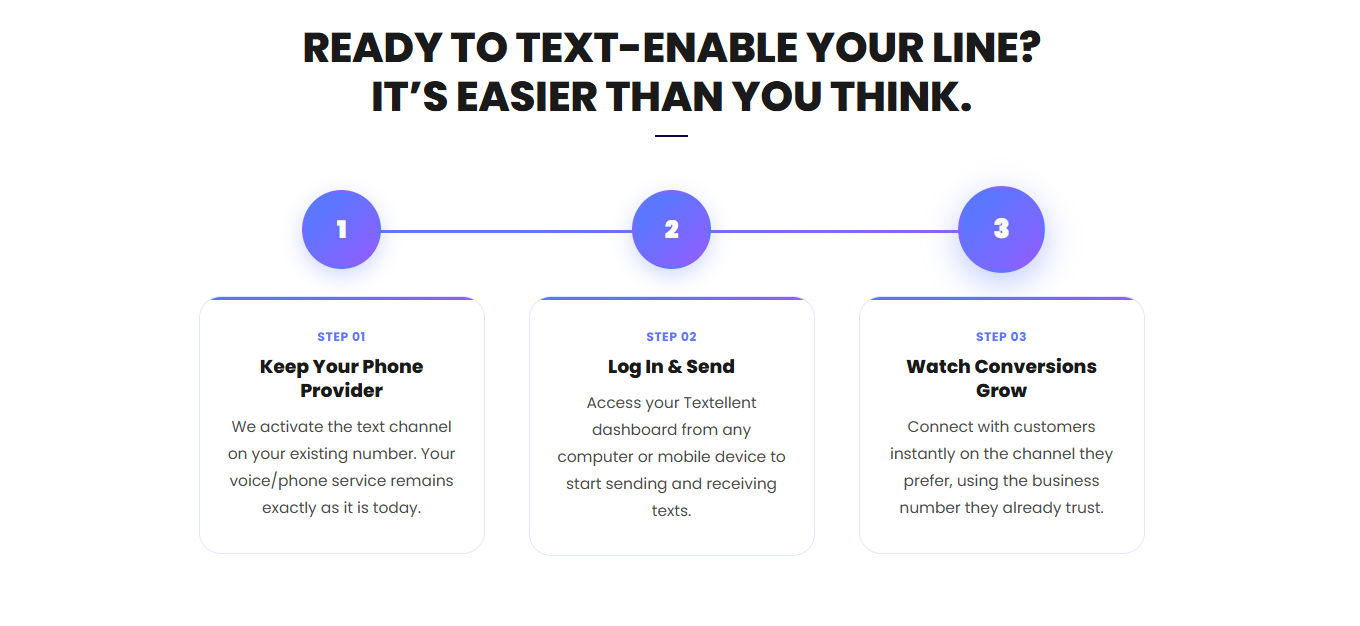
Textellent does not require you to replace your current phone provider. Your voice calls stay with the provider you already use.
Your entire team can keep answering calls the same way. Textellent activates the texting channel on the eligible number, while your landline service remains in place.
Activate Texting on Your Line
Once the number is confirmed, Textellent activates texting on your existing landline phone number. Customers can then call or text the same familiar number.
This setup avoids the confusion of using one number for calls and another number for texts. It also helps protect the value of the number already listed on your website, ads, invoices, signage, and customer records.
Log In to Textellent
After setup, your team can access the Textellent dashboard from a computer or mobile phone. This is where incoming messages, replies, contacts, and customer conversations are managed.
Your landline phone itself does not receive SMS messages. Texts route into Textellent, where staff can read, reply, and manage conversations from one text to a landline service.
Send and Receive Texts
Once your line is active, you can start sending and receiving texts from the same number that customers already trust. This includes one-to-one replies, reminders, updates, and customer follow-ups.
Textellent supports shared inbox management, automated reminders, and mass texting. It also supports MMS, so you can send multimedia messages such as images, links, and files when customers need more context.
Ready to begin? Start your free trial today and see how quickly your landline can be text-enabled.
Best Practices After You Enable Texting on a Landline
After your landline is text-enabled, the next step is making sure customers know they can use it. Below are the best practices you can follow after setup:
Add “Call or Text”
Your number should show “Call or Text” wherever customers already see it. That includes your website, contact page, Google Business Profile, email signatures, invoices, appointment reminders, and printed materials.
This small update can boost customer satisfaction by giving customers a simple way to choose between a phone call and a text.
Use Texts For Quick Updates
Texting works best for simple messages that do not need a long phone call. Appointment confirmations, missed call replies, payment reminders, status updates, and customer feedback requests are good examples.
Each message should focus on one purpose. A short text is easier for customers to read, understand, and answer.
Set Reply Expectations
Customers may expect a fast reply once they know your number accepts texts. Office hours, after-hours replies, or auto-response messages can tell customers when someone will answer.
For urgent questions, a phone call may be the better option. This keeps texting useful without making it responsible for every request.
Train Staff Before Volume Grows
Staff should know who handles each message type before more texts come in. Sales questions, appointment changes, billing questions, and service concerns may need different owners.
A shared inbox, saved replies, and internal rules can keep conversations organized. This also reduces missed replies and duplicate responses.
Keep Consent Records
SMS opt-in language should appear on forms, booking pages, checkout pages, and other sign-up points. Consent records protect your business and set expectations for customers.
They also support cleaner campaigns because the audience already understands what type of additional messages they may receive.
Review Message Performance
Once customers start texting, review how your sales team handles replies, reminders, follow-ups, and mass texts.
You should look for missed messages, common questions, response times, off-hours replies, and opportunities to improve templates.
Stronger business landline texting can improve customer engagement and make it easier to request five-star reviews after a positive experience.
Text-Enable Your Landline and Keep Customers Connected With Textellent
Your customers already know your business number, so it should do more than handle calls.
With Textellent, you can enable text messaging without changing your existing phone number. It also lets you receive text messages and manage communication with customers from an intuitive dashboard.
Your next customer message should not get lost because your landline cannot receive texts.
Sign up for a free trial or request a demo consultation with Textellent today and see how easy it can turn your business number into a call-and-text channel!
FAQs About Text-Enable Landline
What will happen if you text a landline?
If the landline is not text-enabled, the message may fail, go undelivered, or convert into a voice message, depending on the carrier. If it is text-enabled, the message goes to a business texting inbox.
Can you text a landline for free?
You can send a text to a landline from your phone, but standard carrier rates may apply. You will need a text-to-landline service to receive and reply to those texts.
Can you still send a text message to a landline?
Yes, but delivery depends on whether the number can receive texts. If the number is not text-enabled, the business may not receive the message. If the number is text-enabled, the text routes to a messaging platform where staff can reply from the existing number.
Will text-enabling my landline affect my existing voice service?
No. In most setups, calls should continue through your current phone provider, while texts route to an SMS marketing software. Many landline texting services also do not require additional hardware.