
How an AI Business Assistant Reduces Operational Workload
Artificial intelligence is no longer just a tool that answers simple questions — it can draft content, summarize meetings, schedule follow-ups, analyze business data, respond to customers, and cut down the repeat work that slows teams down. Here’s how an AI business assistant works, what it can do, and how to choose one that fits your workflow.

For businesses, the real value comes from how well AI fits into daily work. An AI assistant connects with your systems and keeps teams focused on work that needs human judgment.
You’ll also learn where AI-powered text marketing platforms fit into a broader assistant strategy for sales, marketing, service, and operations.
- An AI business assistant uses AI agents to turn simple requests into useful business actions.
- AI can handle repeat work, scheduling, customer communication, data analysis, workflow support, and cost-saving admin tasks.
- Different AI assistant types serve different needs, including communication, sales, support, scheduling, meetings, project work, workflow automation, knowledge search, marketing, data analysis, and enterprise operations.
- Choosing the best AI business assistant requires reviewing the delayed workflow first, then checking department fit, integrations, output quality, security, ease of use, pricing, and pilot results before expanding.
- Textellent is an SMS-focused AI business assistant for customer texting workflows such as automated follow-ups, appointment reminders, segmented campaigns, and mobile messaging.
How an AI Assistant for Business Works
An AI assistant uses large language models (LLMs) to generate content, summarize information, and identify patterns when it has access to relevant data.
It also uses machine learning and natural language processing (NLP) to understand user commands. Here’s how it works:
1. Type a simple request, such as “book a follow-up call next week” or “draft a response to this customer.”
2. The assistant checks approved sources like CRM records, emails, calendars, documents, and project tools.
3. The assistant turns your request into an action, such as a calendar task, message draft, or CRM update.
4. Machine learning and NLP help the assistant understand what you need.
5. Automation lets the assistant create tasks, update records, route requests, or send drafts for approval.
6. Integrations let the assistant work with CRM systems, email, calendars, support desks, and project tools.
7. A person should review customer-facing, financial, legal, or high-risk work before anything is finalized.
See an AI-Powered SMS Assistant in Action
Book a walkthrough of Textellent’s AI Rewrite, automated follow-ups, and shared inbox tools.
What Can AI Assistants Do for Your Business?
An intelligent AI assistant understands a wide range of business tasks. Here are the main ways it can support your operations:
Handle Repetitive Work
AI assistants can take over routine tasks that often fill the workday. They draft emails, summarize meetings, create a to-do list, prepare customer replies, update records, and reduce manual data entry.
Time savings depend on the tool, the workflow, and how often the team uses it. A well-set-up AI assistant can reduce admin work and give teams more room to focus on customers and decisions.
Coordinate Schedules and Meetings
AI assistants can coordinate calendars, suggest meeting times, and book appointments with less back-and-forth communication. They support sales demos, interviews, client check-ins, and internal meetings.
This saves time for teams that schedule calls regularly. It also keeps important meetings from getting delayed due to manual coordination.
Standardize Workflows and Reduce Errors
Many AI assistants standardize business processes through templates, task reminders, CRM updates, and data checks. This can reduce missed steps and repeated entries.
Human review still matters for finance, legal, HR, and customer-facing work. AI should support accuracy, not replace careful review.
Adds More Operational Capacity
AI assistants handle scheduling, customer replies, social media drafts, bookkeeping support, and sales follow-up. This gives small teams more capacity without adding full-time staff for every task.
For small business owners, a powerful AI assistant can act like a digital team member. It can support daily work and keep business operations moving at a pace closer to larger companies.
Support Customer Communication
AI assistants can answer common questions at any hour. They handle website FAQs, order questions, appointment details, service updates, and basic support routing.
This can improve customer satisfaction because people get faster answers for simple needs. Complex issues should still route to a person, especially when the request involves complaints, refunds, or sensitive details.
Analyze Business Data
AI assistants review sales figures, customer behavior, financial metrics, and trend data. They spot sales patterns, customer churn signals, competitor pricing shifts, campaign performance changes, and financial summaries.
This makes reports easier to read and faster to use. Leaders still need to review the findings before making major decisions.
Reduce Manual Costs in Operations
AI assistants reduce time spent on manual scheduling, inbox sorting, note-taking, customer FAQs, and repeat admin work.
Cost savings depend on how well the assistant fits the workflow. You still need people for strategy, approvals, customer relationships, and high-risk decisions.
Types of AI Business Assistant Software
AI business assistant software comes in different forms, depending on the work it supports. Below are the main types of AI assistant software you can compare.
Communication Assistants
AI communication assistants support email, chat, help desk replies, and customer messages. They can draft responses, summarize conversations, review customer history, and suggest next steps.
Some businesses also use an AI-driven SMS marketing platform for customer texting. AI for text messages supports message drafts, appointment reminders, review requests, campaign ideas, and reply handling.
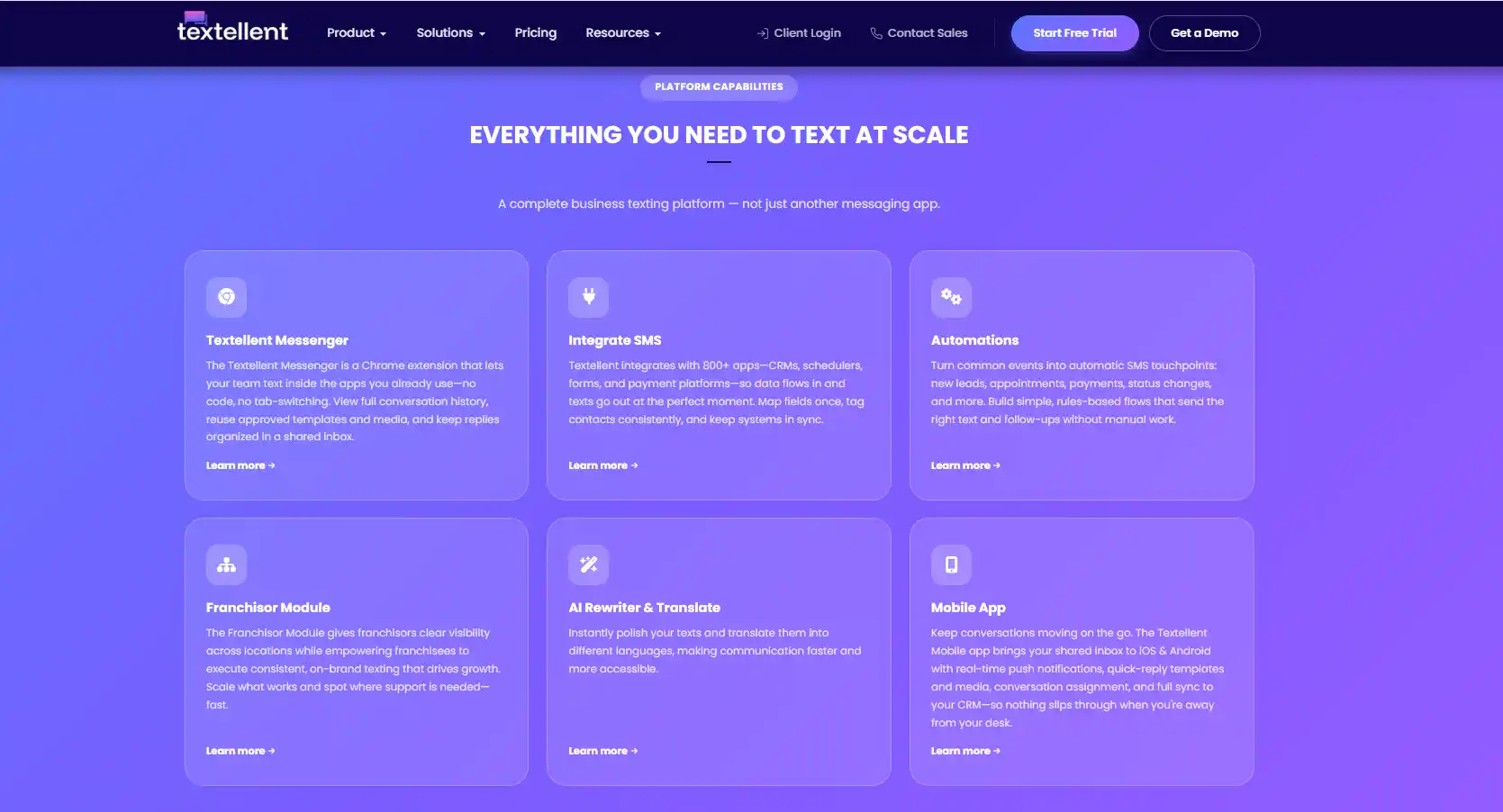
If SMS is a key part of your customer communication strategy, Textellent brings AI-powered texting, automation, and team inbox management into one platform.
Sign up for a free trial or request a demo consultation today!
General Assistants
General assistants support a wide range of tasks, such as writing, research, summaries, planning, and brainstorming. They are useful when you need a flexible tool for everyday business tasks.
They are a good starting point for teams that want broad AI support without choosing a highly specialized platform.
Virtual Assistants
Virtual assistants focus on admin support, such as scheduling, reminders, inbox tasks, and basic research. It can act like an AI personal assistant for repetitive tasks that take time during the day.
This type of assistant is useful for busy professionals who manage calls, meetings, follow-ups, and task lists. It reduces manual work without requiring users to learn complicated systems.
Sales Assistants
AI sales assistants support lead follow-up, prospect research, CRM updates, email drafts, and call summaries. They also help sales teams track pipeline activity and identify deals that need attention.
For example, after a sales call, the AI employee can summarize key points, log notes, and prepare a follow-up message. This keeps the sales process more organized and reduces missed opportunities.
Customer Support Assistants
AI customer support assistants help support agents answer common questions, summarize tickets, and route issues to the right person.
These assistants provide instant answers for routine support requests at any hour. They improve support efficiency while keeping complex or sensitive cases under human review.
Scheduling Assistants
AI scheduling assistants focus on booking meetings, checking availability, sending reminders, and reducing calendar back-and-forth. They are useful for sales demos, interviews, client check-ins, and internal meetings.
A scheduling tool can connect with calendars, email, and meeting platforms. This makes scheduling meetings faster and keeps teams from spending too much time coordinating times.
Meeting Assistants
AI meeting assistants record, transcribe, and summarize meetings. They can pull out action items, decisions, deadlines, and follow-up tasks.
This type of assistant is useful for teams that run many calls or manage multiple projects. It helps people catch up faster and keeps meeting notes up to date and more organized.
Project Management Assistants
AI project management assistants help teams organize tasks, deadlines, priorities, and workloads. Some tools support AI-powered project management by turning notes or updates into task assignments.
These assistants can support project management for campaigns, client work, product launches, and internal operations.
Workflow Automation Assistants
AI workflow automation assistants connect with business apps and move work between them. They can trigger actions, update records, send reminders, and route requests.
This type of assistant is useful when teams want smart automation inside existing workflows. It can connect CRM systems, email, project tools, support desks, and communication platforms.
Knowledge Assistants
Knowledge management assistants answer questions from approved business documents, policies, wikis, and knowledge bases. They’re useful for surfacing company knowledge without requiring users to search through files manually.
These assistants work best when they have access to updated and approved sources. They should also respect permissions so users only see information they are allowed to access.
Writing and Marketing Assistants
AI writing and marketing assistants create blog outlines, ad copy, social media posts, email drafts, and campaign ideas. They are useful for content teams that need support with creative tasks.
These tools can also help marketers repurpose long-form content into shorter formats. Human review is still needed for brand voice, accuracy, and final approval.
Data Analysis Assistants
AI data analysis assistants review sales figures, customer behavior, campaign results, and financial metrics. They can turn complex data into summaries, charts, reports, or recommendations.
These tools can also surface AI-driven insights from business trends. Leaders can use those insights to review patterns faster, but major decisions still need human judgment.
Enterprise AI Assistants
Enterprise AI tools are built for larger teams with more security, integrations, and admin controls. They often support role-based access, audit logs, advanced permissions, and enterprise plans.
These assistants are useful for organizations that need AI connected to company data, collaboration tools, CRM systems, and internal software. They also need stronger governance because more people and systems are involved.
How to Choose the Best AI Business Assistant
Worldwide spending on AI infrastructure reached $89.9 billion in Q4 2025, a 62% increase from Q4 2024.
That record growth shows how fast businesses are investing in tools that can reduce manual work and support smarter operations. It also makes tool selection more important. Here are the main factors to review before choosing an AI platform.
Define the Main Business Problem First
The best starting point is the task that creates the most delays. Common examples include scheduling, follow-up, support replies, reporting, research, note summaries, and SMS campaign drafts.
Focused use cases are easier to measure than broad AI rollouts. A narrow starting point also makes it easier to compare results before expanding.
Match the Assistant to the Department
Different teams need different features from an AI business assistant. Sales teams need CRM and outreach features, while support teams need ticket tools and knowledge base access.
Marketing teams need content, campaign, and communication tools. Operations teams need workflow and task features, while leadership needs summaries, reporting, and performance insights.
Review Integrations Before Price
Tool fit depends on the software you already use. The assistant should connect with CRM, email, calendars, help desk tools, project platforms, and SMS platforms when needed.
A seamless CRM integration with existing tools can save more time, reduce context switching, and prevent limited connections from slowing the workflow.
Compare AI Quality and Output Control
A good AI-powered assistant should create useful answers, consistent drafts, and source-backed responses. It should also handle real business prompts without losing important context.
Real workflow tests are important before choosing a tool. The review should include whether users can edit instructions, tone rules, templates, and approval steps.
Check Security, Privacy, and Compliance
Vendor review should include data storage, model training policies, user permissions, audit logs, encryption, data deletion, and regulatory needs.
These details become more important when the assistant connects to customer records or internal files. Texting workflows need extra review. If SMS is part of your use case, the platform should include consent tracking, opt-out handling, sender rules, and message approval controls.
Test Ease of Use
User adoption depends on simple workflows. A platform that requires too much technical expertise can slow teams down, even when the feature list looks advanced.
A simple interface, useful prompts, and low setup friction make the assistant easier to adopt. The platform should reduce steps instead of adding more work.
Review Pricing and Scalability
Pricing can vary based on the free plan, paid plans, usage limits, add-ons, and enterprise fees. Some platforms also charge based on users, credits, messages, or advanced features.
Communication tools may include message-based costs. Short-term and long-term costs should be reviewed before choosing enterprise plans or adding more teams.
Pro Tip: Start with a small pilot on one team or one workflow. Measure time saved, user adoption, task management, and review quality before you commit to a wider rollout.
How Textellent Brings AI Into Business Texting
Textellent is an AI-powered SMS marketing platform ideal for businesses where texting is a major part of sales, marketing, service, or operations.
Here’s how it supports customer texting workflows with AI-powered tools and SMS automation.
AI-Powered Message Support
Textellent’s AI Rewrite & Translate feature helps polish texts, improve readability, adjust tone, and translate messages. The feature works in shared inbox, templates, campaigns, and quick replies.
Textellent has also introduced AI features such as Emojify and Save Message as Template — Emojify helps add fitting emojis to message drafts, while Save Message as Template turns a message into a reusable template.
Automated Campaigns and Follow-Ups
Textellent supports automated texting workflows for customer outreach, reminders, and follow-ups. These workflows can help you stay in touch without writing every message manually.
The platform can support flows such as Speed-to-Lead texts, appointment confirmations, and follow-up messages.
Appointment Scheduling and Reminders
Textellent supports appointment scheduling workflows through SMS automation. You can send confirmations, reminders, and rescheduling messages through text.
This is ideal for appointment-based teams that need fewer missed calls and fewer manual reminders. It can support client check-ins, consultations, service visits, and other scheduled interactions.
Shared Inbox for Team Texting
Textellent includes shared inbox features for managing customer replies as a team. Teams can use assignments, notes, tags, and analytics to keep conversations organized.
A unified inbox is useful when multiple people handle customer texting. Sales, support, billing, scheduling, and operations teams can manage replies without losing conversation context.
SMS Campaigns With Segmentation and Personalization
Textellent supports SMS campaigns that can reach targeted customer groups. SMS segmentation tools, templates, and customer details can make messages more relevant.
It can support promotions, reminders, reactivation campaigns, loyalty programs, and review requests. You should still review campaign content before sending, especially for promotional texts.
Integrations With Business Tools
Textellent includes integration options such as APIs, Zapier, Chrome Extension, and Text Us Now Widget.
These SMS integrations allow Textellent to fit into existing lead capture, scheduling, customer communication, and follow-up workflows. That makes it more useful than a standalone texting inbox.
Mobile Access and Browser-Based Messaging
Textellent offers Messenger for Chrome and Edge, which supports texting from browser-based workflows. It reduces tab switching when you need to message customers while working in other systems.
Textellent also provides a mobile app for managing conversations away from a desk. Mobile access is valuable if you have field teams, service teams, or staff who handle replies throughout the day.
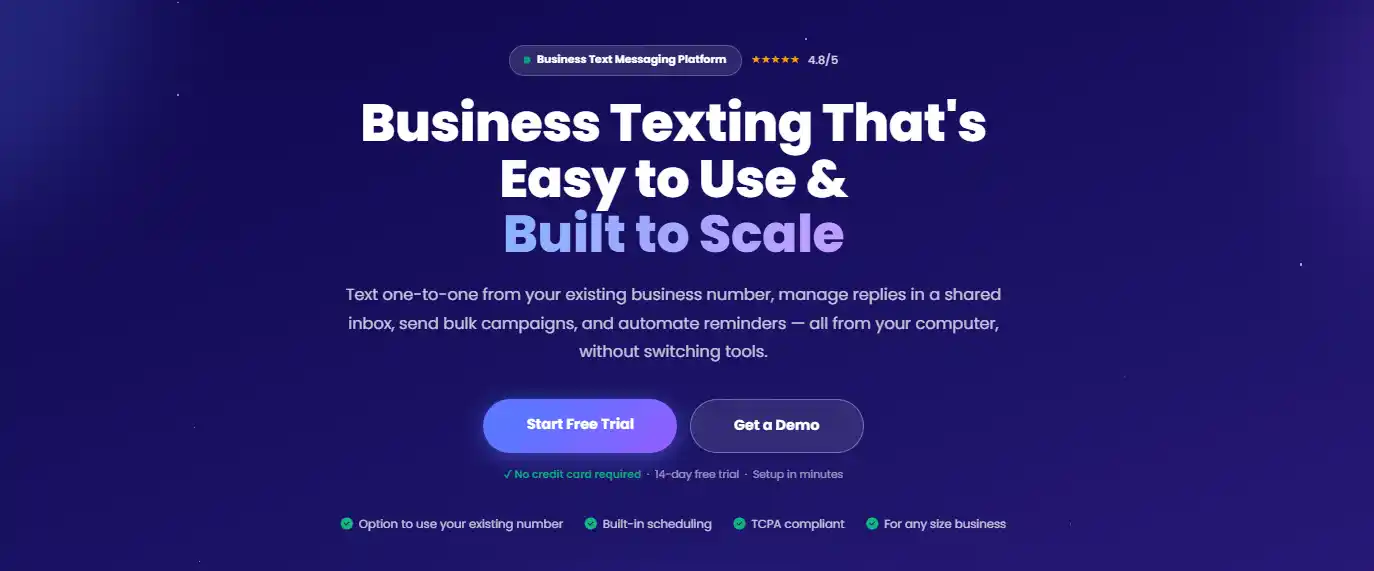
AI can speed up many aspects of daily work. But customer texting requires more than a basic assistant that simply drafts responses. You need a platform that can handle real-time conversations, automate follow-ups, and keep SMS campaigns running with less repetitive effort.
Textellent gives you an AI-powered SMS marketing platform built for sales, marketing, service, and operations teams that rely on texting. With AI rewriter, automated campaigns, appointment reminders, shared inboxes, segmentation, integrations, and mobile access, Textellent helps you turn communication into a more organized workflow.
If texting is a key part of how you follow up with leads or manage two-way conversations, Textellent can fit into your overall AI business messaging.
FAQs About AI Business Assistant
What is the best AI assistant for business?
ChatGPT, Microsoft Copilot, Claude, Gemini, and Jasper are some of the best and most popular AI assistants for business use.
Which AI assistant is free?
Several AI assistants offer free access or free plans. ChatGPT has a free plan, and Claude also offers a free tier, while other tools may offer trials or limited free versions. Free plans are useful for testing basic features. Paid plans are needed for higher usage limits, team controls, integrations, advanced models, and business security features.
What are the top 10 AI assistants?
The top AI assistants include ChatGPT, Microsoft Copilot, Claude, Google Gemini, Jasper, Otter, Motion, Lindy, Gong, and Perplexity. The best choice depends on whether you need writing, meetings, sales intelligence, scheduling, automation, research, or customer communication.
Which AI is 100% free?
Platforms such as ChatGPT, Claude, Gemini, and Perplexity offer free versions, but they typically include limits on usage, features, integrations, or access to the latest AI models. A free option is useful for testing, but it’s not always enough to automate tasks or workflows. If you need more than just that, review usage limits and upgrade requirements before relying on one platform.